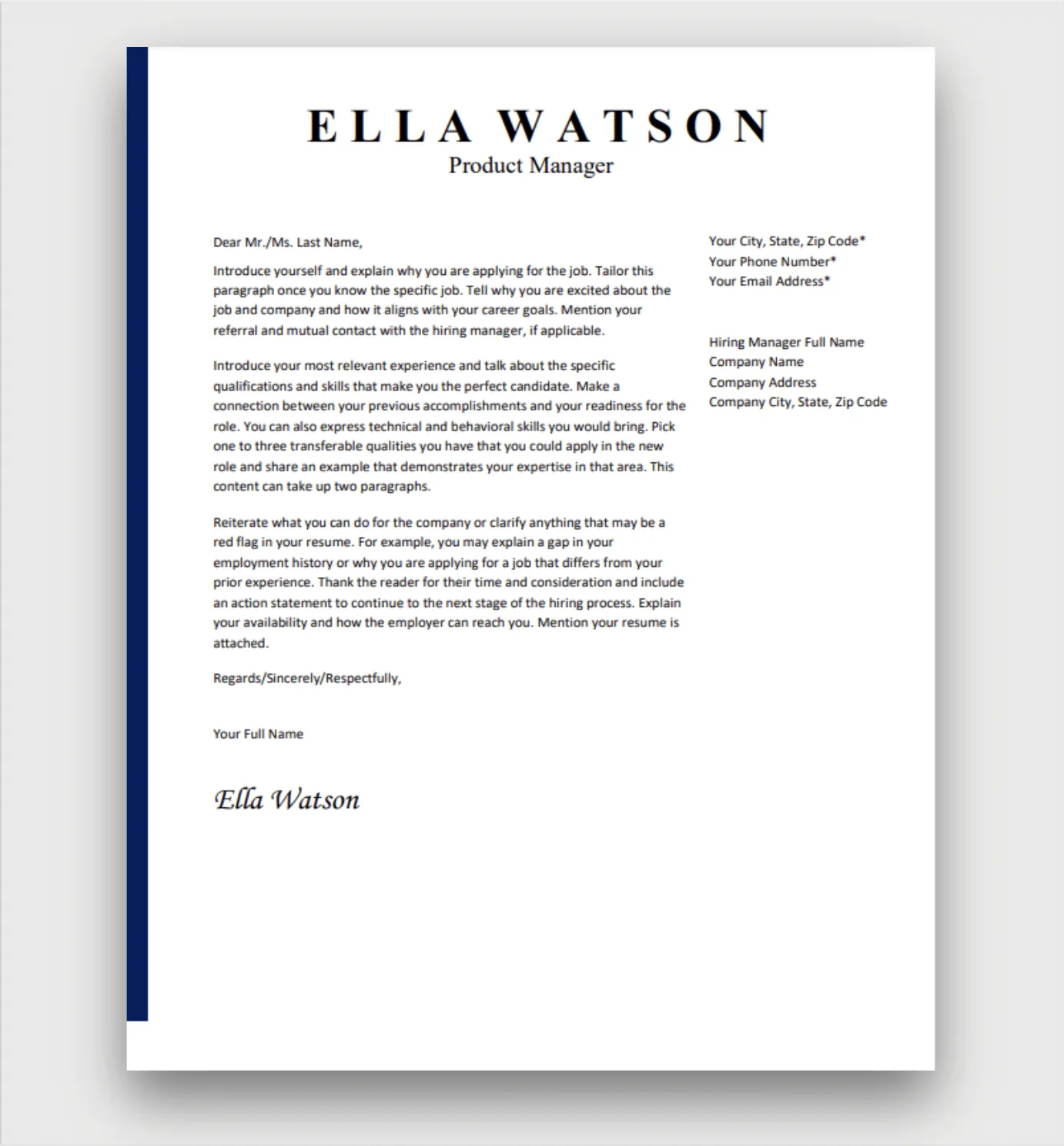
Cover Letter Format [Best Practices]
A well-formatted cover letter is your first impression on a potential employer. It’s more than just a formality; it’s a powerful tool to showcase your personality, skills, and enthusiasm for the position. Understanding the best practices for formatting your cover letter is essential to ensure it’s easy to read, professional, and compelling. This guide will walk you through the key elements of a cover letter, providing you with insights and tips to create a document that stands out. We’ll cover everything from the header to the closing, offering clear examples and actionable advice to help you make a lasting positive impression.
Cover Letter Header [Contact Information]
The header of your cover letter provides the essential contact information both for you and the recipient. It establishes professionalism and makes it easy for the hiring manager to reach you. Accuracy and neatness are critical here – a single typo can lead to missed opportunities. This section sets the tone for your entire application, so paying close attention to detail is paramount. Ensure you include all necessary information correctly.
Your Name and Contact Information

Begin with your full name. Below your name, include your phone number, professional email address, and optionally, a link to your LinkedIn profile or online portfolio. Always use a professional-sounding email address. Avoid using nicknames or informal language in your contact details. Present this information clearly and concisely, typically aligned to the left or right of the page, or centered for a more modern look.
Date
The date on your cover letter should be the date you are sending the application. Place this date beneath your contact information, typically aligned to the left or right. This shows the reader when you submitted your application and is a standard element of a professional document. Ensure the date is formatted consistently with the other documents you are submitting.
Employer’s Information
Include the name of the hiring manager (if known), their title, the company name, and the company’s address. Address the cover letter to a specific person whenever possible. If you can’t find a specific name, research the company website or LinkedIn to find the hiring manager or the relevant department head. Failing this, use a general salutation (e.g., ‘Dear Hiring Manager’). Accurate details display your attention to detail.
Cover Letter Salutation [Greeting]

The salutation is your first point of direct communication with the hiring manager. It sets the tone for your letter. Using the correct greeting shows respect and professionalism. It’s vital to personalize this section to capture the reader’s attention immediately. The right greeting is an initial indicator of your application’s quality, so take the time to get it right.
Cover Letter Body [Crafting the Message]
The body of your cover letter is where you make your case for why you’re the ideal candidate. It’s not just a summary of your resume; it’s a narrative where you connect your skills and experiences with the job requirements and the company’s values. Focus on showing, not just telling, and use concrete examples to illustrate your accomplishments. Structure this section strategically to keep the reader engaged and make a memorable impression. Each paragraph serves a specific purpose to bolster your candidacy.
Opening Paragraph [Grab Attention]
Your opening paragraph is crucial for capturing the reader’s attention. State the position you’re applying for and how you found the job. Briefly explain why you’re interested in the role and the company. Make it concise and compelling. This is your chance to hook the hiring manager. Consider mentioning a specific aspect of the company that excites you or a relevant accomplishment that aligns with the job’s requirements. Tailor your introduction to fit the specific job and demonstrate your enthusiasm.
Highlighting Key Skills and Qualifications

This section is dedicated to aligning your skills and qualifications with the job description. Review the job posting carefully and identify the key requirements. Provide specific examples from your past experiences that demonstrate you possess these skills. Focus on quantifiable achievements whenever possible. Use action verbs to describe your accomplishments, and show how your skills and experiences have contributed to positive outcomes. The goal is to convince the hiring manager you are a strong match.
Showcasing Relevant Experience
Elaborate on your professional experience, focusing on roles and achievements most relevant to the job you’re applying for. For each experience, briefly describe your responsibilities and highlight significant accomplishments using the STAR method (Situation, Task, Action, Result). This approach makes your achievements clear and easy to understand. Quantify your results with data, such as percentages, numbers, or specific outcomes. Demonstrate how your past experiences translate into value for the potential employer.
Demonstrating Company Research and Interest
Show that you’ve done your homework on the company. Briefly mention why you’re drawn to the company and what specifically interests you about their mission, values, or products. This demonstrates genuine interest and shows you’ve taken the time to understand the organization. You can reference a recent project, an innovation, or a company value that resonates with you. This section underscores your commitment to the role and the company.
Closing Paragraph [Call to Action]

Your closing paragraph is your last opportunity to make an impression. It should summarize your interest and reiterate your qualifications. Make a clear call to action by expressing your eagerness to discuss your application further and mentioning your availability for an interview. Thank the hiring manager for their time and consideration. This section should leave the reader with a positive and proactive impression.
Cover Letter Closing [Formalities]
The closing of your cover letter should be professional and courteous. It provides a final touch that reflects your attention to detail. Choosing the right closing and including your signature (if submitting a hard copy) and typed name will enhance your cover letter’s overall presentation. Adhering to standard closing etiquette assures the reader that you are a serious candidate.
Complimentary Close
Use a professional closing such as ‘Sincerely,’ ‘Best regards,’ or ‘Thank you.’ Avoid informal closings. The choice of closing should be consistent with the overall tone of your cover letter and the level of formality appropriate for the company and industry. This adds the final layer of polish to your application.
Signature

If submitting a hard copy, sign your name above your typed name. If submitting electronically, you can either include an image of your signature or omit it. Ensure your signature is clear and legible if included. This personal touch adds authenticity to your application.
Typed Name
Type your full name below your signature (if applicable) or below the complimentary close. This provides clarity and ensures that your name is easily identifiable. It’s the final item in your cover letter, concluding your application with a clear presentation of your identity.
Proofreading and Formatting [Ensuring Polish]
Before submitting your cover letter, proofread it meticulously for any grammatical errors, spelling mistakes, or typos. Check the formatting to ensure consistency and readability. Have someone else review your cover letter for a fresh perspective. Pay close attention to font size, margins, and spacing, as these can impact the overall appearance of your letter. Correct formatting and flawless grammar demonstrate your professionalism and attention to detail. Ensure the document is visually appealing and easy to navigate.