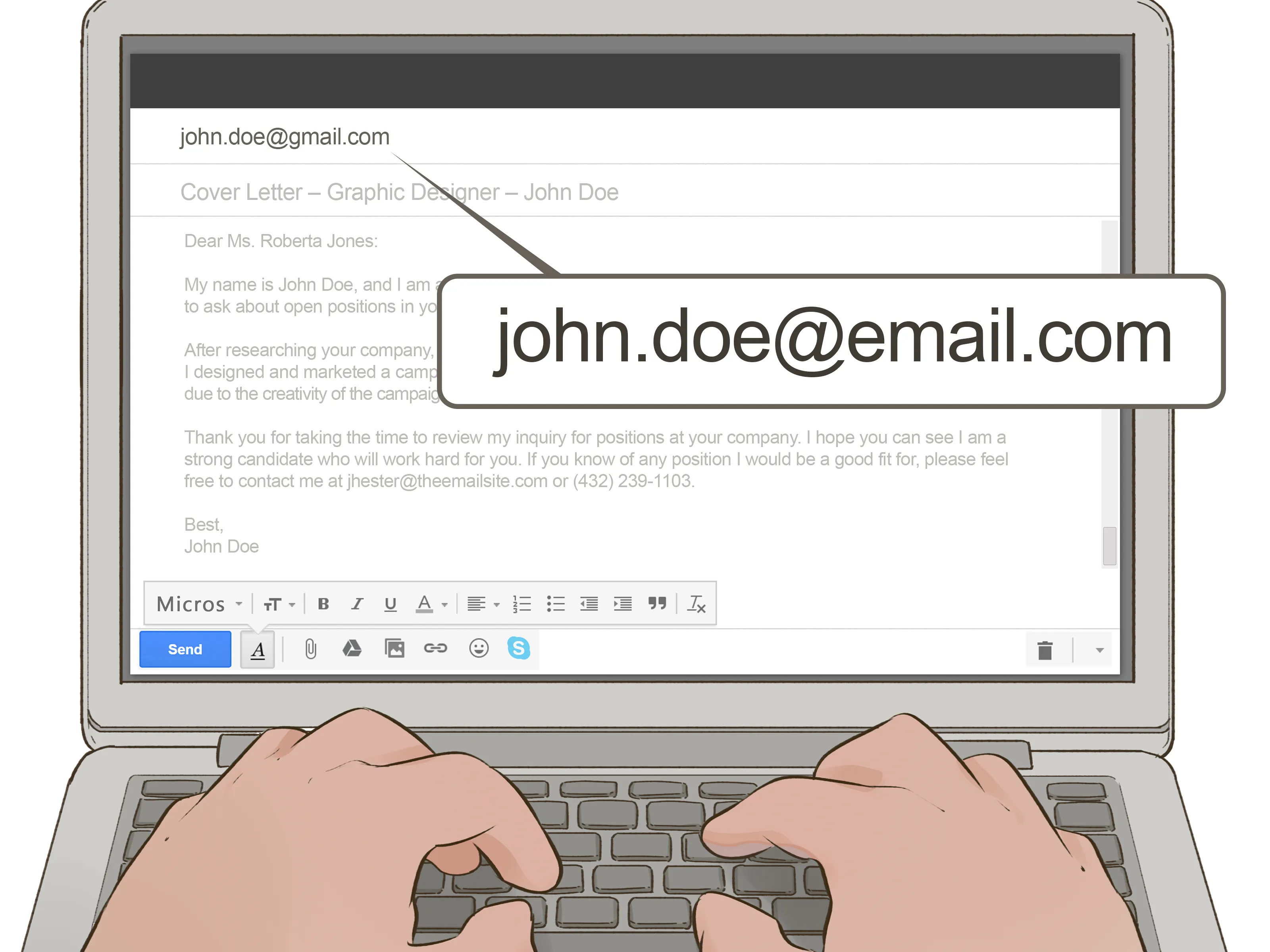
Crafting the Perfect Email Subject Line
The subject line is the first thing a recruiter or hiring manager sees, making it critical to grab their attention. A well-crafted subject line ensures your email gets opened. Avoid generic subject lines like ‘Resume’ or ‘Job Application,’ which can easily be overlooked. Instead, be specific and use keywords that match the job description. Consider including the job title and your name. This immediately tells the recipient the purpose of the email and who it’s from. For example, use “Job Application - Software Engineer - Your Name.” This direct approach helps your email stand out in a crowded inbox and increases the likelihood of your application being considered. A clear and concise subject line is your first step to getting noticed.
Highlighting Your Key Skills
Before you send your email, review the job description carefully and identify the key skills and qualifications the employer is seeking. In your email body, briefly highlight these skills, demonstrating how you meet the requirements. Use action verbs and provide specific examples of how you’ve applied these skills in previous roles. This targeted approach shows that you have read the job description and are not just sending a generic application. It helps the recruiter quickly see your suitability for the position. Keep your points concise and easy to read. Focus on the most relevant skills that make you a strong candidate. By doing so, you make it easy for the hiring manager to understand your value and the benefits you bring to their company.
Tailoring Your Email to the Job

Customize your email for each job application to increase your chances of success. Generic emails often fail to impress hiring managers because they lack personalization. Research the company and the specific role to understand their needs and expectations. Mention specific aspects of the job or the company that interest you. This shows that you’ve done your homework and are genuinely interested in the opportunity. Personalize your cover letter to address the hiring manager or the person listed in the job posting (if possible). Tailoring your email demonstrates your attention to detail and your commitment to going the extra mile, which can make a significant difference in the hiring process. A personalized approach can significantly boost your application.
Formatting Your Email for Readability
Ensure your email is easy to read. Use a professional and clear font, such as Arial or Times New Roman, and maintain a consistent font size. Break up your text into short paragraphs to avoid overwhelming the reader. Use bullet points or numbered lists to highlight key information, making it easy for the hiring manager to scan your email. Keep your sentences concise and to the point, avoiding jargon or overly complex language. Proper formatting shows respect for the recipient’s time and professionalism. The goal is to make it as easy as possible for the recruiter to quickly grasp your qualifications and understand why you’re a good fit for the job. A well-formatted email makes a positive first impression.
Attaching Your Resume and Cover Letter
Always attach your resume and cover letter as separate files. This is a fundamental step in the email submitting resume process. Ensure both documents are included to provide a comprehensive overview of your qualifications and experience. This is crucial because it offers detailed information that can’t be fully conveyed in the email body. Make sure that the attachments are properly formatted and organized for ease of viewing. This ensures that the hiring manager can quickly access your information without any difficulty. Ensure both documents are up-to-date and relevant to the job you’re applying for, including all necessary details, such as contact information and work history. This ensures a professional presentation.
Naming Your Files Correctly

Properly naming your files is essential for professionalism and organization. Use a clear, concise, and professional naming convention for your resume and cover letter files. Include your full name and the document type in the file name. For example, use “Your Name - Resume.pdf” and “Your Name - Cover Letter.pdf.” This makes it easy for the recipient to identify your documents and keeps their files organized. Avoid using generic names like “resume.pdf” or “coverletter.doc,” which can be confusing. A well-named file shows attention to detail and enhances your professionalism. This small step ensures that your application stands out and reflects your organizational skills.
Choosing the Right File Format
Choose a file format that ensures your documents are accessible and maintain their formatting. The recommended format for both your resume and cover letter is PDF (Portable Document Format). PDF files preserve the original formatting of your documents, regardless of the software or device used to open them. This ensures that your resume and cover letter look the way you intended, maintaining professionalism. Avoid using formats like DOC or DOCX unless specifically requested by the employer, as these can sometimes cause formatting issues. PDF is widely compatible and considered the standard for professional documents. This standard format helps to avoid compatibility problems, making sure your application is always presented in the best possible way. By choosing the right file format, you ensure your documents are clear, readable, and professional.
Writing a Compelling Email Body
The body of your email is where you introduce yourself, express your interest, and highlight your qualifications. Keep it concise, professional, and engaging. The body should briefly summarize your skills and how they align with the job description. A well-written email body complements your resume and cover letter, making your application more effective. This helps the recruiter understand your suitability and makes them want to read your attached documents. Focus on providing enough information to generate interest without overwhelming the reader. This creates a positive first impression. Keep the email focused and to the point, providing a brief, yet compelling overview of your candidacy. This approach makes it easier for the recruiter to evaluate your application.
Opening with a Strong Statement

Start your email with a strong statement to immediately capture the hiring manager’s attention. Begin by mentioning the job title you are applying for and where you found the job posting. This shows your clear interest and direction. Briefly state why you are excited about the opportunity. Expressing your enthusiasm will make your application more engaging. Make the opening relevant and specific to show that you understand the job and the company. This initial impression is critical, so make it count. This sets the tone for the entire email and encourages the reader to continue.
Briefly Introducing Yourself
After the opening, provide a brief introduction of yourself. Keep this section concise, focusing on your most relevant qualifications and experience. Mention your current role or your background, and briefly state your key skills. Avoid including irrelevant details that could distract the reader. Tailor this section to align with the job description. Make sure to use the keywords from the job posting. This helps the recruiter quickly understand your suitability. This brief introduction should set the stage for the more detailed information in your resume and cover letter, giving the recruiter a quick overview of who you are and what you can offer.
Mentioning the Job and Your Interest
Clearly state the specific job you are applying for and reiterate your interest in the role and the company. Reference the job title and, if applicable, the job posting number. Express your enthusiasm for the opportunity and what attracts you to the company. Briefly mention any specific aspects of the job description that excite you or align with your career goals. This demonstrates that you have read the job description carefully and understand the requirements. This shows you are genuinely interested in the position and are not just sending a generic application. Expressing genuine interest helps make your application stand out to the hiring manager and increases the likelihood of a positive response.
Summarizing Your Qualifications

Highlight your most relevant qualifications and how they align with the job requirements. This section should briefly summarize your key skills and experience, drawing the recruiter’s attention to the most important aspects of your profile. Avoid simply repeating your resume; instead, provide a concise summary of your strengths. Use action verbs to showcase your accomplishments and provide specific examples where possible. Focus on the skills and experiences most relevant to the job description. Make it easy for the recruiter to see how your qualifications match the company’s needs. This section should reinforce the key information in your resume and cover letter, reinforcing your suitability for the role.
Closing with a Call to Action
End your email with a clear call to action. Express your enthusiasm for the opportunity to discuss your qualifications further. Include a statement of your availability for an interview. Provide your contact information, including your phone number and email address, to make it easy for the hiring manager to reach you. Thank the recipient for their time and consideration. A strong call to action encourages the hiring manager to take the next step. This increases your chances of moving forward in the hiring process. A clear call to action leaves a lasting impression and increases the likelihood of a response.
Proofreading Your Email Before Sending
Before sending your email, always proofread it carefully. Check for any errors in grammar, spelling, and punctuation. Errors can create a negative impression and undermine your professionalism. Take the time to thoroughly review your email to ensure it’s error-free. Proofreading ensures your email presents you in the best possible light. A well-proofread email demonstrates attention to detail and commitment. Proofreading is critical for making a positive impression on the recipient. This step is essential for every email you send, ensuring your message is clear, polished, and professional. By taking the time to proofread, you reduce the risk of making a negative impression and increase your chances of success.
Checking for Grammatical Errors

Carefully check your email for grammatical errors. Incorrect grammar can detract from your message and make you appear unprofessional. Ensure your sentences are grammatically correct, and your language is clear and concise. Use grammar-checking tools like Grammarly to help identify errors. Review your email multiple times to catch any mistakes you might have missed. Pay special attention to subject-verb agreement, correct tense usage, and proper punctuation. Correct grammar demonstrates attention to detail and professionalism. This makes a good impression on the recipient. The attention to detail reflected through proper grammar can significantly influence how your application is perceived.
Verifying Contact Information
Double-check all contact information to ensure it is correct and up-to-date. Verify your email address, phone number, and any other contact details you have provided. Mistakes in contact information can result in lost opportunities, as the hiring manager will not be able to reach you. Ensure your phone number is accurate and that your voicemail is set up professionally. Confirm that your email address is working and that you check it regularly. This step is essential to ensure that potential employers can easily contact you. Checking your contact information is essential for ensuring you do not miss any opportunities.
Sending at the Right Time
Consider the best time to send your email to maximize visibility. Research suggests that sending emails during business hours, ideally mid-week, is more effective. This increases the likelihood that your email will be seen and reviewed promptly. Avoid sending your email late at night or on weekends, as it may be less likely to be seen. Use a scheduling tool if necessary to send your email at an optimal time. Sending your email at the right time can improve your chances of getting noticed. Timing can influence whether your application gets immediate attention. Plan your send time to align with when the hiring manager is most likely to check their inbox.
Following Up Professionally

If you haven’t heard back within a reasonable timeframe, follow up professionally. Send a brief, polite email expressing your continued interest in the position. Reference the original email and reiterate your enthusiasm. Keep your follow-up concise and professional. Avoid being overly persistent or demanding. Sending a follow-up shows initiative and interest, reinforcing your commitment to the role. A well-timed follow-up can help your application stand out. It is appropriate to follow up one or two weeks after submitting your application if you have not received a response. This reinforces your interest and demonstrates your professionalism.