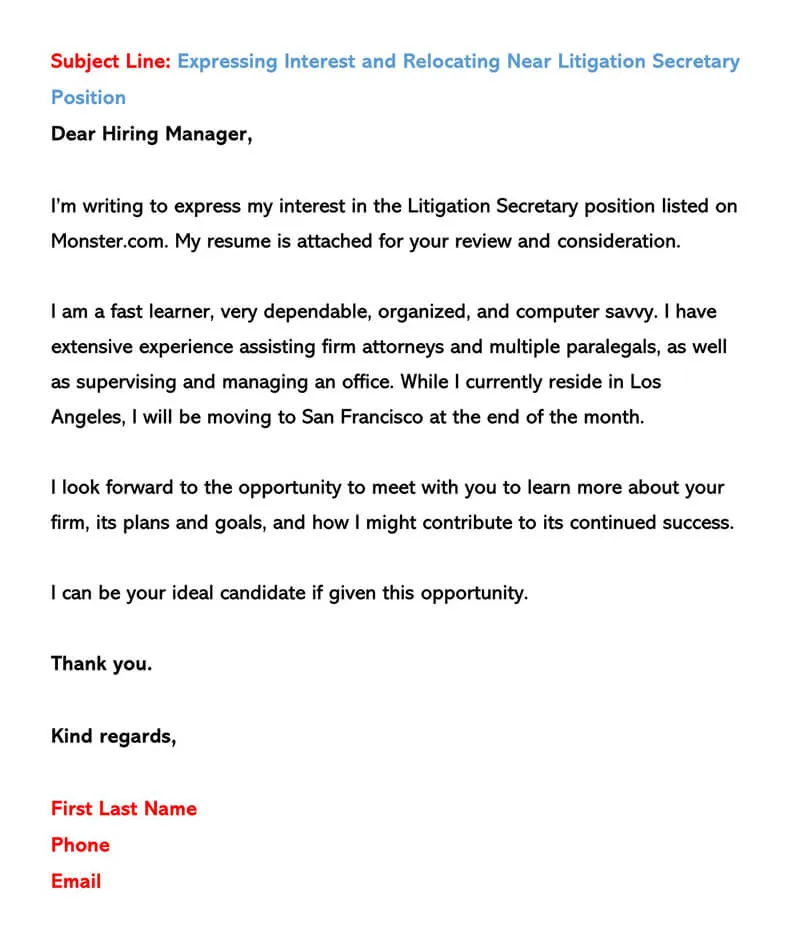
What is an Email Cover Letter?
An email cover letter is a concise, professional message that accompanies your resume when applying for a job via email. Unlike a traditional cover letter, which is often formatted as a separate document, an email cover letter serves as the body of your email, introducing you and highlighting your qualifications to a potential employer. It’s your first impression and a crucial opportunity to make a strong positive impact, showcasing your personality, skills, and enthusiasm for the position. It should be crafted thoughtfully, making sure it aligns seamlessly with the requirements outlined in the job description. The email cover letter, when composed carefully, is an integral component of your job application toolkit, capable of significantly increasing your chances of receiving an invitation to interview.
Why Use an Email Cover Letter
Using an email cover letter is important for several reasons. First and foremost, it gives you a chance to personalize your application and demonstrate genuine interest in the role and the company. It shows that you’ve taken the time to tailor your message, which makes you stand out from generic applicants. It also provides context, allowing you to bridge the gap between your resume and the job description. A well-written email cover letter provides a narrative, connecting your skills and experience to the employer’s needs. Furthermore, it allows you to highlight specific achievements and quantify your contributions, thus making you a more attractive candidate. With a well-crafted email cover letter, you increase your likelihood of capturing the attention of hiring managers and getting an interview. By crafting an effective cover letter, you go beyond merely listing your qualifications; you’re showcasing your abilities and enthusiasm, setting the stage for your career aspirations.
Formatting Your Email Cover Letter

Formatting is vital for readability and professionalism. Keep it concise, using clear language and avoiding jargon. The tone should be professional and enthusiastic. The email should be easy to read on any device. Break up the content with paragraphs, and make sure the font is easy to read, like Arial, Calibri, or Times New Roman. Aim for a length of around 200-400 words. Use bullet points sparingly for emphasis. Ensure there are no spelling or grammatical errors. The goal is to make it simple for the hiring manager to quickly grasp your value and qualifications. It’s essential to present your message in a clear and professional manner to make a lasting positive impression.
Subject Line
Your subject line is the first point of contact, so make it direct, clear, and attention-grabbing. Include the job title and your name, so the recruiter immediately knows what the email is about and who you are. Example: ‘Job Application – Marketing Manager - [Your Name]’. Avoid generic subject lines like “Resume” or “Application.” Be sure to make your subject line specific. This way, you help the recruiter sort and manage applications efficiently, increasing your chances of your email being opened. Using a well-crafted subject line is an important step in getting noticed by the hiring manager.
Salutation
Start with a professional salutation. If you know the hiring manager’s name, use it. For example, ‘Dear Mr./Ms. [Last Name].’ If you don’t know the name, ‘Dear Hiring Manager’ or ‘Dear [Company Name] Hiring Team’ are good alternatives. Avoid overly casual greetings. Ensure the salutation aligns with the overall tone. A thoughtful opening is essential in creating a positive first impression and showing your level of attention to detail, which also gives you an advantage.
Body Paragraph 1: Introduction and Purpose

The first paragraph is about introducing yourself and stating the purpose of your email. Mention the specific job you’re applying for and where you saw the posting (e.g., LinkedIn, company website). Briefly state why you are interested in the role and the company. Express your enthusiasm. This section should be short, clear, and grab the reader’s attention right away. You can briefly mention a key skill or experience that aligns with the job requirements. The introductory paragraph is a fundamental element of your email. It acts as a preview, making the reader understand the intent of your message. It helps the hiring manager know instantly what you’re writing about.
Body Paragraph 2: Highlighting Key Skills and Experience
This section highlights your key skills and experiences that align with the job requirements. Choose 2-3 relevant skills or experiences and provide brief examples of how you’ve used them. Quantify your achievements whenever possible. For example, instead of saying, ‘Managed social media accounts,’ say, ‘Increased social media engagement by 30% in six months.’ Use action verbs to describe your accomplishments. This is your chance to prove your value and show that you’ve thoroughly assessed the job description. Tailor this paragraph to the specific job. The aim is to convince the recruiter that your skills and experience are the perfect match. Make sure to align your qualifications with the needs outlined in the job description.
Body Paragraph 3: Showcasing Your Enthusiasm and Fit
In your final body paragraph, showcase your enthusiasm for the role and the company. Explain why you are excited about this specific opportunity. Mention something specific that interests you about the company, its mission, or its culture. This shows you’ve done your research. Reiterate your interest and reiterate your interest in the position and briefly summarize why you’re the best fit. Include a short sentence about your availability for an interview. By demonstrating genuine enthusiasm, you convey that you are seriously interested in the role and the company.
Call to Action

The call to action is a crucial element, prompting the reader to take the next step. Request an interview. State that you are available to discuss your qualifications further. Make it easy for them to contact you by providing your phone number and email again. Thank the hiring manager for their time and consideration. A strong call to action encourages the hiring manager to take the next step.
Closing
Choose a professional closing. Options include ‘Sincerely,’ ‘Best regards,’ or ‘Thank you.’ Avoid casual closings such as “Cheers” or “Best.” After your closing, add your full name. You may also include your phone number and email address again. This ensures the recruiter can easily reach you. A proper closing creates a polished, professional image.
Attaching Your Cover Letter Properly
Always attach your cover letter as a separate document, even though the email serves as the body. Attach your resume as well. This allows the recruiter to view your cover letter in a proper format. Don’t paste your cover letter into the body of the email and then try to add attachments. Make it a separate file to maintain its original formatting. Make sure both documents are attached to the email, or your application will appear incomplete. It is important to include a cover letter attachment, along with your resume, to give the recruiter a comprehensive overview of your qualifications, skills and experience. The email should state that both documents are attached for review.
File Format

Save your cover letter and resume as PDFs. PDF format preserves the formatting. It also makes sure that the document is displayed as intended on various devices. PDFs are also less susceptible to formatting changes than other file types, such as .doc files. Saving in PDF format is a professional and safe practice that gives the recruiter a reliable view of your application materials, making sure they view your work as you want them to see it.
File Naming Convention
Use a consistent and professional file naming convention. Include your name and the document type in the file name. Example: ‘[Your Name] – Cover Letter.pdf’ or ‘[Your Name] – Resume.pdf’. This helps the recruiter easily identify your documents. A consistent file naming method ensures the recruiter can quickly understand what each file is. You must follow it to maintain professionalism and order.
Proofreading and Editing
Proofread your email cover letter and attachments carefully. Check for spelling errors, grammar mistakes, and formatting issues. Have someone else review your email for an extra set of eyes. Errors can damage your chances of getting an interview. Always double-check your email for accuracy. A well-edited cover letter showcases your attention to detail and professionalism. Using these steps makes sure the recruiter sees your best self. Proofreading is an essential final step in preparing your application materials.
Tips for Different Job Types

Tailor your email cover letter to the specific job and industry. Research the company and customize your letter to align with their values and needs. Highlighting specific achievements, skills, and experiences makes it more appealing. Adjust the tone and language to suit the job requirements. Always make sure to use keywords from the job description to indicate that you are a good fit. Customizing your cover letter significantly increases your chances of making a strong positive impression on the recruiter and securing an interview.
Entry-Level Positions
Focus on your academic achievements, relevant coursework, and internships. Highlight your soft skills, such as communication, teamwork, and problem-solving. Show your eagerness to learn and grow. Mention any projects or volunteer experience that showcases your skills. If you have limited work experience, emphasize your transferable skills and enthusiasm for the role and the company.
Experienced Professionals
Focus on quantifiable achievements and results. Provide specific examples of how you’ve contributed to previous companies. Highlight your leadership skills and ability to drive results. Tailor your letter to the specific requirements of the job. Show how your experience aligns with the company’s goals. When writing a cover letter, make sure to quantify your achievements by including statistics, numbers and percentages. This makes it easy for the recruiter to assess your value and the impact you made on your previous employers.
Common Mistakes to Avoid

Avoid common mistakes such as using a generic cover letter, not tailoring it to the job, or making spelling and grammar errors. Don’t include irrelevant information or use overly casual language. Do not exceed the recommended length. Ensure the information in your cover letter is accurate and truthful. Sending a poorly crafted email cover letter shows lack of attention to detail. By avoiding these pitfalls, you can create a cover letter that reflects professionalism and increase your job search success. It is crucial to present yourself in the best possible light in order to impress the hiring manager. Use these guidelines when preparing your cover letter and you will increase your chances of securing a job interview.